
To cancel your hosting service, follow the steps below.
- login to your client area from http://www.hosticon.com/client and then click on "My services" from the Services menu
- Select the service you want to cancel
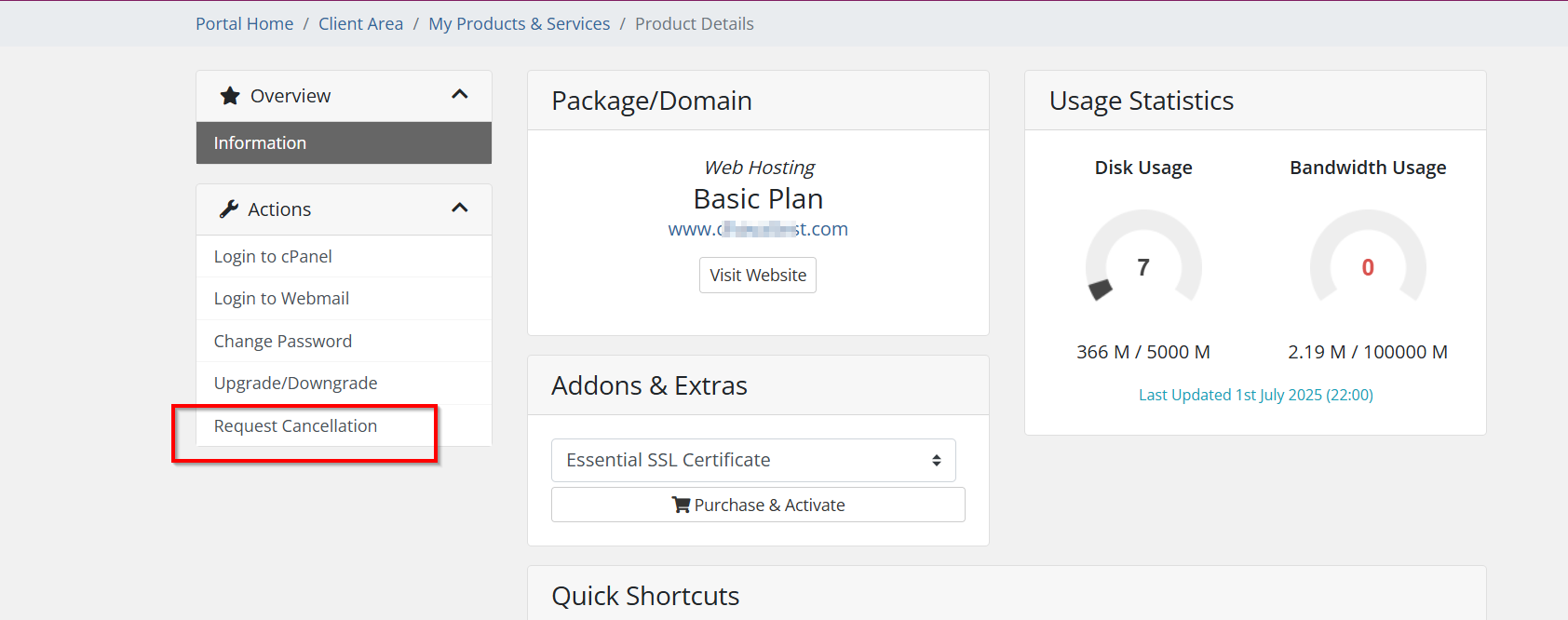
- Now, click on "Request Cancellation" from the left side, under the Actions tab
- Fill in the details, reason for request cancellation
- If you also want to cancel the domain renewal as well then click on "I confirm I do not want to renew domain again"
- If you only wish to cancel hosting then skip "I confirm I do not want to renew domain again"
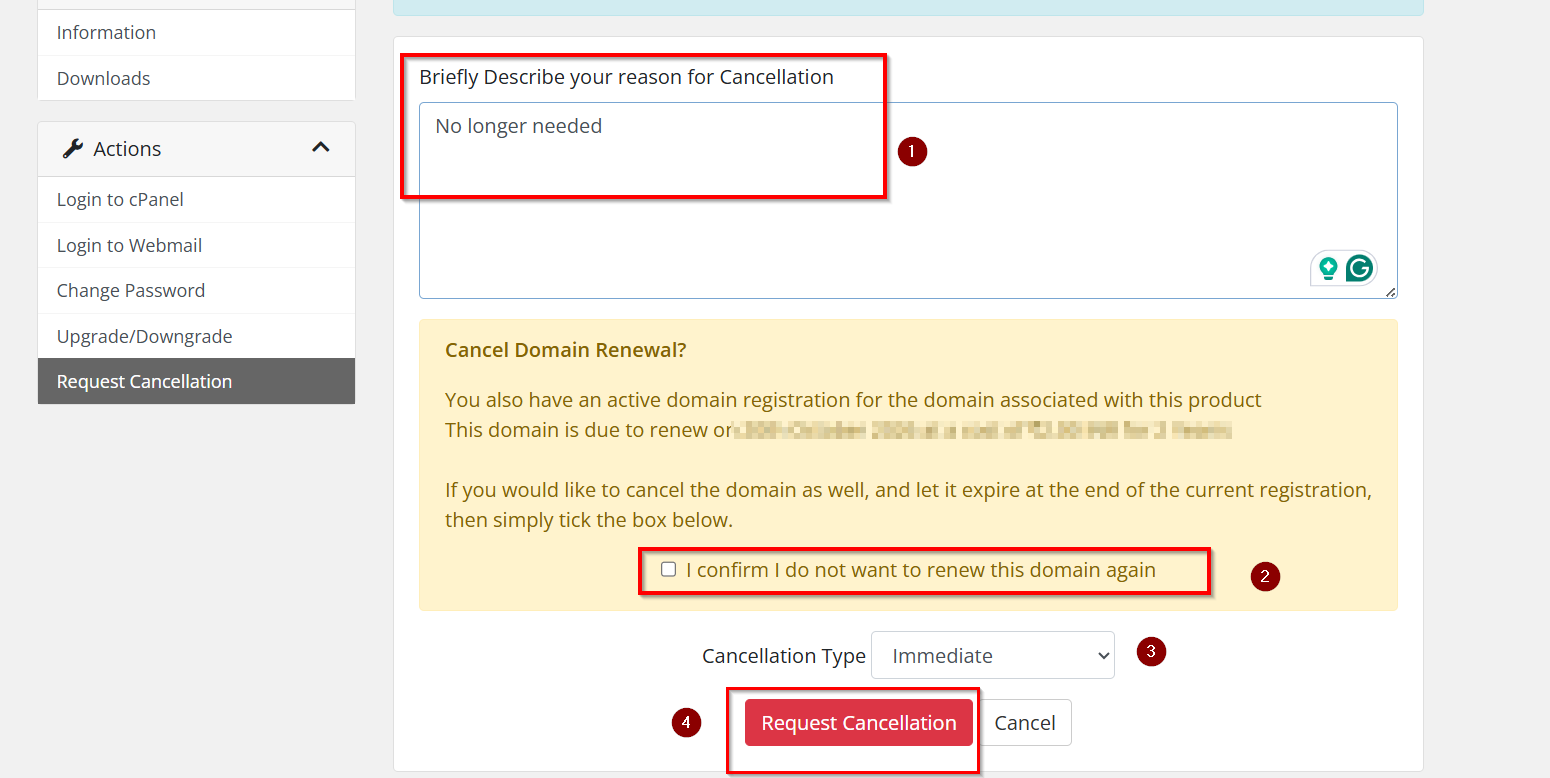
- Click on the "Request Cancellation' button for confirmation
